LEAD GENERATION PLAYBOOK
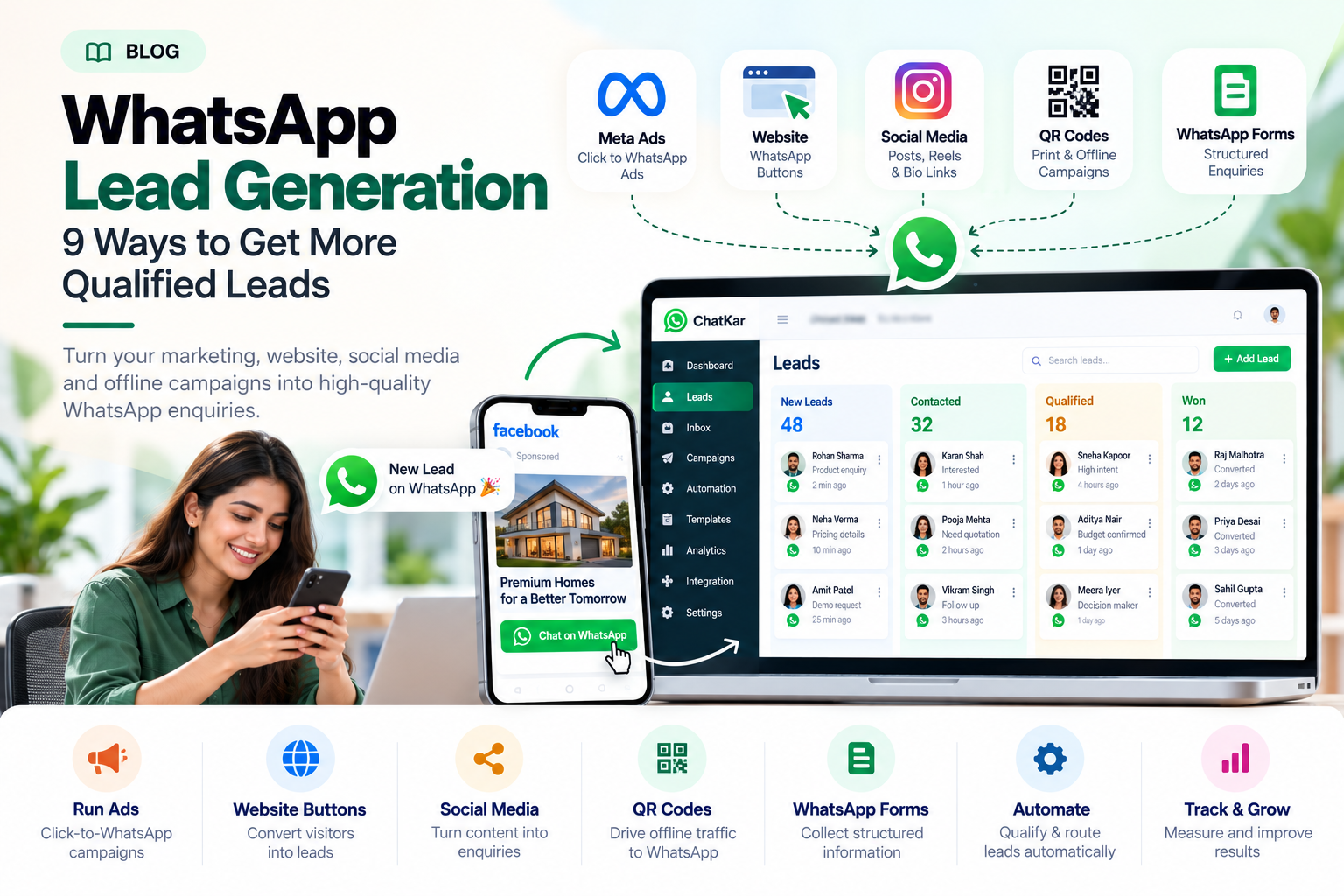
WhatsApp Lead Generation: 9 Ways to Get More Qualified Leads
WhatsApp can give potential customers a direct way to ask questions,
explore products and contact your sales team. The challenge is attracting
the right people and giving them a clear reason to start a conversation.
With the right combination of advertising, landing pages, social media,
chat links and lead capture workflows, businesses can make WhatsApp an
important part of their customer acquisition strategy.
This guide covers nine practical ways to generate WhatsApp leads, how to
improve enquiry quality, which campaign metrics to track, how automation
helps and how ChatKar can connect lead generation with the next steps.
What Is WhatsApp Lead Generation?
WhatsApp lead generation
is the process of attracting potential customers and encouraging them
to start a WhatsApp conversation about a product, service or business requirement.
The aim is to turn relevant interest into an identifiable enquiry that
your business can respond to, qualify and move towards the appropriate next step.
Attract
Reach people interested in your offer.
Start a Chat
Give prospects an easy enquiry route.
Capture
Collect useful enquiry information.
Convert
Help suitable leads take the next step.
Lead generation and lead management are related, but they are not the same.
Lead generation brings enquiries into the business; lead management organizes
what happens after an enquiry arrives.
9 Ways to Generate Leads on WhatsApp
You do not need to use every channel at once. Start with the channel that
matches your audience, offer and budget, then expand after reviewing the results.
METHOD 01 · PAID ADVERTISING
1. Run Click-to-WhatsApp Ads on Facebook and Instagram
Click-to-WhatsApp ads allow people to move from an eligible Facebook
or Instagram advertisement into a WhatsApp conversation. Instead of asking
prospects to complete a separate contact form, you can give them a direct
route to ask about your offer.
Example campaign journey
Facebook or Instagram Ad → WhatsApp Opens → Customer Sends an Enquiry
→ Business Responds → Lead Is Qualified.
Ideas to test
- Product demonstrations and consultation offers.
- Real estate project enquiries and site-visit requests.
- Service packages and quotation requests.
- Product-specific ads with a clear call to action.
- Lead qualification through a short, useful conversation.
ChatKar lists Meta Ads and Click-to-WhatsApp workflows among its features.
These can connect advertising-driven conversations with the platform's
inbox and lead workflows.
METHOD 02 · WEBSITE CONVERSION
2. Add WhatsApp Buttons to Important Website Pages
Someone visiting your website may already be interested in your services.
A visible WhatsApp button gives that visitor a convenient way to ask a question
before deciding whether to purchase.
Consider adding WhatsApp entry points to:
- High-intent service and product pages.
- Pricing and quotation pages.
- Landing pages for paid campaigns.
- Contact pages and suitable blog articles.
- Appointment or consultation pages.
Conversion tip
Match the button wording to the page. For example, a pricing page might
use "Ask for a Quote", while a consultation page might use "Book a Consultation".
METHOD 03 · SOCIAL MEDIA
3. Turn Social Media Content Into WhatsApp Enquiries
Educational content, product demonstrations, customer questions and
service explanations can introduce a problem and give interested viewers
a clear next step through WhatsApp.
Content ideas include:
- Short videos explaining a common customer problem.
- Product comparisons and demonstrations.
- Frequently asked questions and practical tips.
- Service explainers and project walkthroughs.
- Relevant offers with a clear enquiry option.
Use a trackable WhatsApp link in suitable profile links, posts or campaigns
where the platform permits it. Make sure the content accurately represents
the offer and attracts the audience your business wants to serve.
METHOD 04 · TRACKABLE LINKS
4. Use Trackable WhatsApp Chat Links
WhatsApp chat links can make it easy for someone to start a conversation
without manually saving a business number. A pre-filled message can also
help the customer explain why they are contacting you.
SAMPLE PRE-FILLED MESSAGE
"Hi, I would like to know more about your services and pricing."
For better tracking, create separate links for different campaigns or
placements. For example, use a website link, an Instagram profile link and
a print-campaign QR destination rather than using one untracked link everywhere.
ChatKar lists custom WhatsApp chat links, pre-filled messages and
per-link click analytics among its features.
METHOD 05 · OFFLINE TO ONLINE
5. Generate Leads Through QR Codes
QR codes can connect offline interactions with WhatsApp. A person can scan
a code from a printed or displayed placement and open a pre-configured chat
or other relevant digital destination.
Useful placements include:
- Product packaging and brochures.
- Retail displays and business counters.
- Exhibition stands and event materials.
- Business cards and promotional print.
- Property signage and service vehicles.
Practical tip
Tell people what they will receive after scanning. "Scan to Request a Quote"
explains the action more clearly than displaying a QR code by itself.
METHOD 06 · STRUCTURED ENQUIRIES
6. Capture Structured Enquiries With WhatsApp Forms
Some businesses need more than a free-form conversation. They may need
to understand a person's requirement, location, product choice or appointment
preference before sending the enquiry to the right team.
Depending on the implementation, WhatsApp Forms or supported in-chat
form experiences can collect structured answers without sending the user
through a lengthy external process.
Example: Service enquiry
- Select the required service.
- Choose the city or service location.
- Share the expected timeframe.
- Submit the enquiry for follow-up.
Keep the form relevant and short. Ask for information that genuinely helps
the business respond, and handle customer data responsibly.
METHOD 07 · SEARCH INTENT
7. Attract High-Intent Visitors Through SEO
Search engine optimization can bring visitors who are actively looking
for a product, service, solution or provider. Relevant landing pages and
helpful articles can then offer an appropriate WhatsApp enquiry route.
Build useful pages around:
- Specific products and services.
- Pricing and quotation intent.
- Location-specific service pages where appropriate.
- Product comparisons and buying guides.
- Questions customers ask before making a decision.
The aim is to match the page to the searcher's actual need. Do not add
a generic WhatsApp button to every page without considering what that
visitor is trying to accomplish.
METHOD 08 · PARTNERSHIPS
8. Generate Enquiries Through Partners and Creators
Relevant influencers, creators, business partners and referral sources
can introduce their audiences to your business. WhatsApp can act as the
next step for interested prospects.
To measure these activities:
- Create a distinct chat link for each partner or campaign.
- Use a relevant pre-filled message where suitable.
- Record the source of the enquiry in your lead workflow.
- Compare qualified leads and business outcomes, not just clicks.
Choose partners whose audience and content align with your customers.
Reach alone does not establish lead quality.
METHOD 09 · CUSTOMER JOURNEYS
9. Use Retargeting and Customer Re-Engagement Responsibly
People who previously engaged with a business may be interested in returning
for more information. Subject to the relevant platform options and permissions,
businesses can use retargeting or appropriate customer communication to
reconnect with suitable audiences.
Possible approaches include:
- Retargeting eligible website or advertisement audiences.
- Inviting interested users to request a demonstration.
- Sharing relevant updates with opted-in contacts.
- Providing a clear way for people to ask questions.
Do not treat a website visit, advertisement click or old contact record
as blanket permission to send unsolicited WhatsApp messages. Follow the
applicable consent, privacy and messaging requirements.
Example: Calculate Your WhatsApp Cost Per Lead
Consider this hypothetical campaign to understand the calculation.
These numbers are illustrative and are not a benchmark or a forecast.
Cost per started chat
= ₹10,000 ÷ 200 = ₹50
Cost per qualified lead
= ₹10,000 ÷ 40 = ₹250
In this example, the cost per qualified lead is ₹250 before any additional
costs that are not included in the advertising spend. Whether that is
profitable depends on your average customer value, conversion rate, margins
and sales costs.
Final Thoughts
WhatsApp lead generation works best when acquisition, the first conversation
and the next business action are planned together. A good advertisement alone
cannot solve a weak offer, irrelevant targeting or a confusing response process.
Begin with one or two relevant acquisition methods, track where enquiries
come from, measure lead quality and improve the parts of the journey that
prevent interested people from becoming real opportunities.
Attract → Start a Conversation → Capture → Qualify → Measure
Generate relevant enquiries first. Then build a process that helps your
team turn those enquiries into business outcomes.