WHATSAPP TEMPLATE TROUBLESHOOTING · 2026
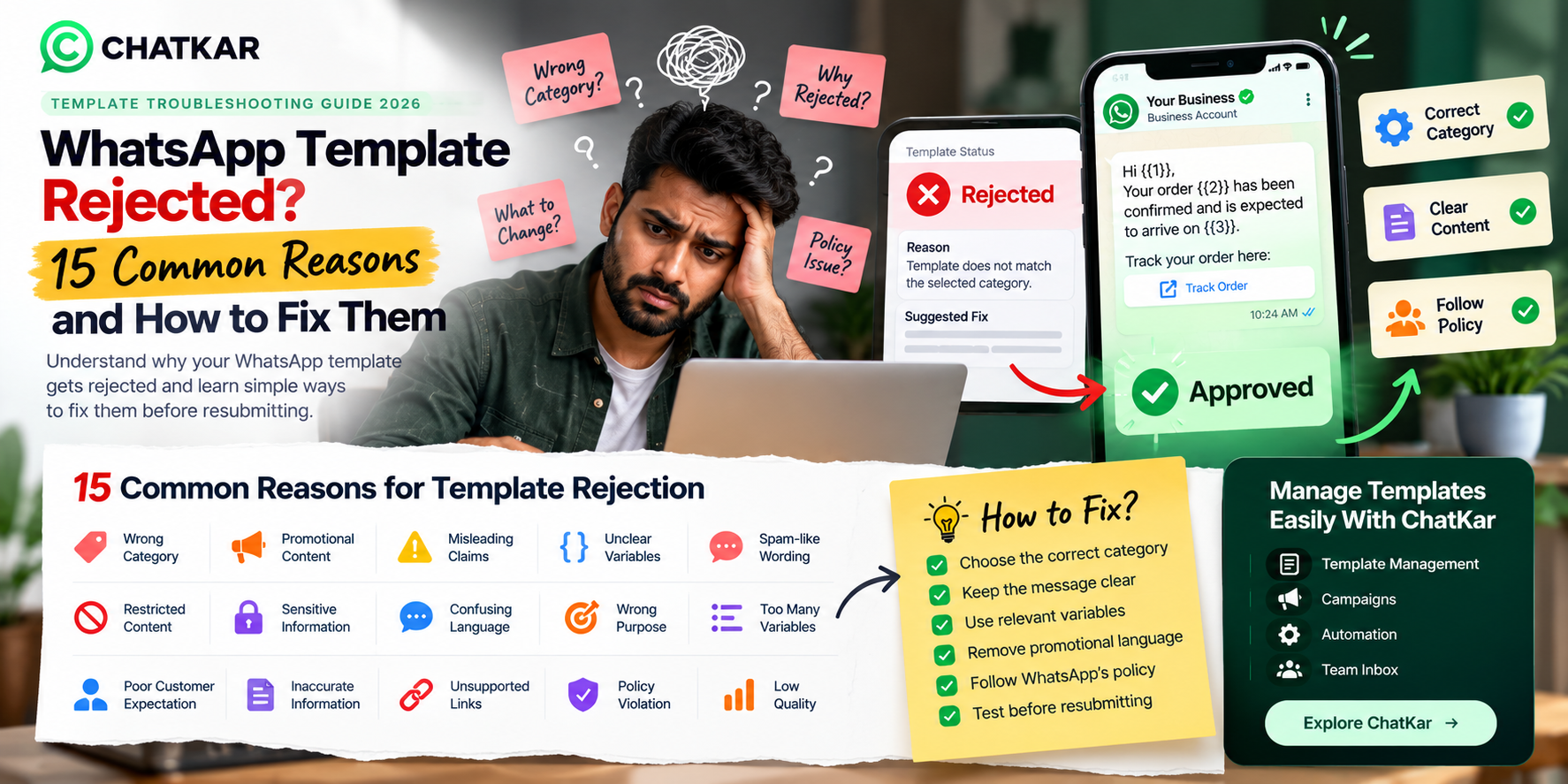
WhatsApp Template Rejected? 15 Common Reasons and How to Fix Them
A rejected WhatsApp message template can delay campaigns,
customer notifications, OTP workflows and other business communication.
In many cases, the problem is not the idea behind the message but its
category, wording, variables, purpose or compliance with WhatsApp's rules.
WhatsApp states that business-initiated conversations on the Business Platform
must use approved message templates, and that templates can be reviewed,
approved, paused or rejected. Templates must also be used for their designated
purpose and follow applicable policies. ([business.whatsapp.com](https://business.whatsapp.com/policy/preview?lang=id_ID&utm_source=chatgpt.com))
This guide explains 15 practical reasons a template may fail review or later
perform poorly, with examples and fixes you can use before resubmitting.
15 Common WhatsApp Template Problems and How to Fix Them
1. The Template Category Does Not Match the Message
One of the most common problems is selecting a category that does not
accurately describe the message's actual purpose.
Problem example:
A message is submitted as Utility but primarily promotes a new product
or discount.
Fix:
Review the complete message, identify its real purpose and select the
category that genuinely matches that purpose.
2. Promotional Content Is Hidden Inside a Utility Message
A message may start as transactional communication and then add
promotional wording that changes the overall intent.
Example:
"Your order has shipped. Also, get 50% off our new collection today!"
The second sentence introduces a promotional objective.
Fix:
Keep the utility message focused on the actual transaction. Put promotional
communication into an appropriate marketing template.
3. The Message Does Not Match Its Declared Purpose
A template should do what its category and description suggest.
Problem:
The template is described as an order update but the actual message
asks customers to buy another product.
Fix:
Remove unrelated content or create a separate template for the different use case.
4. Variables Are Unclear or Poorly Structured
Variables are useful for personalizing messages, but the values inserted
into them should be predictable and understandable.
Weak:
Hello {{1}} {{2}} {{3}} {{4}} {{5}}
Better:
Hi {{1}}, your order {{2}} has been shipped and is expected on {{3}}.
5. The Template Contains Misleading or Unsupported Claims
Avoid statements that are exaggerated, deceptive or difficult to substantiate.
Risky example:
"Guaranteed results for every customer."
Fix:
Use accurate, supportable wording and remove unnecessary superlatives.
6. The Message Is Too Aggressive or Spam-Like
Excessive urgency, repeated punctuation, exaggerated claims and
pressure-heavy wording can create a poor messaging experience.
Weak style:
"BUY NOW!!! LAST CHANCE!!! DON'T MISS!!! 100% BEST!!!"
Fix:
Make the message clear, useful and natural.
7. The Template Creates the Wrong Customer Expectation
Businesses should send messages people reasonably expect based on
their relationship, action or consent.
Example:
A customer only requested an order update but receives unrelated
promotional communication.
Fix:
Keep opt-in expectations clear and send the type of communication the
user agreed to receive.
WhatsApp's policy specifically emphasizes that users should expect the
messages they receive and recommends clear opt-in and opt-out experiences.
([business.whatsapp.com](https://business.whatsapp.com/policy/preview?lang=id_ID&utm_source=chatgpt.com))
8. The Template Contains Restricted or Prohibited Content
Certain products, services and content are restricted or prohibited
under WhatsApp and Meta policies.
Depending on the business and use case, this can include areas covered
by WhatsApp's commerce and business restrictions.
Fix:
Review the current WhatsApp Business Policy and applicable Commerce Policy
before submitting sensitive or regulated use cases.
Check the official WhatsApp Business Policy →
9. The Template Uses Confusing Language
Templates should be easy to understand. Long sentences, unexplained
abbreviations and confusing phrasing can reduce clarity.
Weak:
"Your req. has been processed & shipment initiates accordingly as per..."
Better:
"Your order {{1}} has been shipped. Expected delivery: {{2}}."
10. The Template Contains Unnecessary Variables
Not every piece of information needs to be dynamic.
A template with too many variables becomes harder to manage and
increases the chance of incorrect values being inserted.
Fix:
Keep fixed text fixed and make only genuinely customer-specific information dynamic.
11. The Business Is Sending Messages Users Did Not Expect
Even a technically approved template can create quality problems if
users repeatedly receive unwanted communication.
WhatsApp states that users can block or report businesses and that
sustained low-quality messaging can result in restrictions. ([business.whatsapp.com](https://business.whatsapp.com/policy/preview?lang=id_ID&utm_source=chatgpt.com))
Fix:
Improve consent collection, audience relevance, message frequency
and opt-out handling.
12. The Template Is Being Used for the Wrong Purpose
A template should be used only for the purpose for which it was approved.
Example:
A template created for order updates is later reused as a promotional campaign.
Fix:
Create separate templates for materially different customer communication purposes.
13. The Message Makes a Sensitive Request
Businesses should be especially careful when a template asks customers
for sensitive financial, identity or other protected information.
WhatsApp's business policy restricts requests for certain sensitive
identifiers and financial information. ([business.whatsapp.com](https://business.whatsapp.com/policy/preview?lang=id_ID&utm_source=chatgpt.com))
Fix:
Review the applicable policy before requesting sensitive information
and use appropriate secure channels where required.
14. The Template Is Not Clear About the Next Action
A business message should make it clear what the customer can do next.
Weak:
"Your order has been updated."
Better:
"Your order {{1}} is ready for delivery. Track it here: {{2}}."
15. The Template Has Poor Quality After Approval
Approval does not automatically mean that a template will perform well.
If recipients frequently block or report the business, messaging quality
can decline.
WhatsApp's policy says users can block or report businesses and that systems
may limit businesses when quality remains low over time. ([business.whatsapp.com](https://business.whatsapp.com/policy/preview?lang=id_ID&utm_source=chatgpt.com))
Fix:
Review delivery, read behaviour, blocks, reports, audience targeting,
opt-in quality and message relevance.
What to Do When a WhatsApp Template Is Rejected
Read Status
→
Identify Issue
→
Check Category
→
Rewrite
→
Validate
→
Resubmit
→
Monitor Quality
Step 1: Read the Template Status
Do not immediately create another template with almost identical wording.
First understand what changed or what problem was identified.
Step 2: Check the Category
Ask whether the actual purpose of the message matches the selected category.
Step 3: Remove Unnecessary Promotion
If the message is intended to be transactional, remove unrelated promotional
content rather than trying to disguise it.
Step 4: Simplify the Message
Remove unnecessary wording, excessive urgency and confusing variables.
Step 5: Check Compliance
Review the current WhatsApp Business Policy and any relevant industry or
commerce requirements.
Step 6: Validate Before Resubmission
Check category, variables, links, wording and purpose before submitting again.